Why a cold box at all
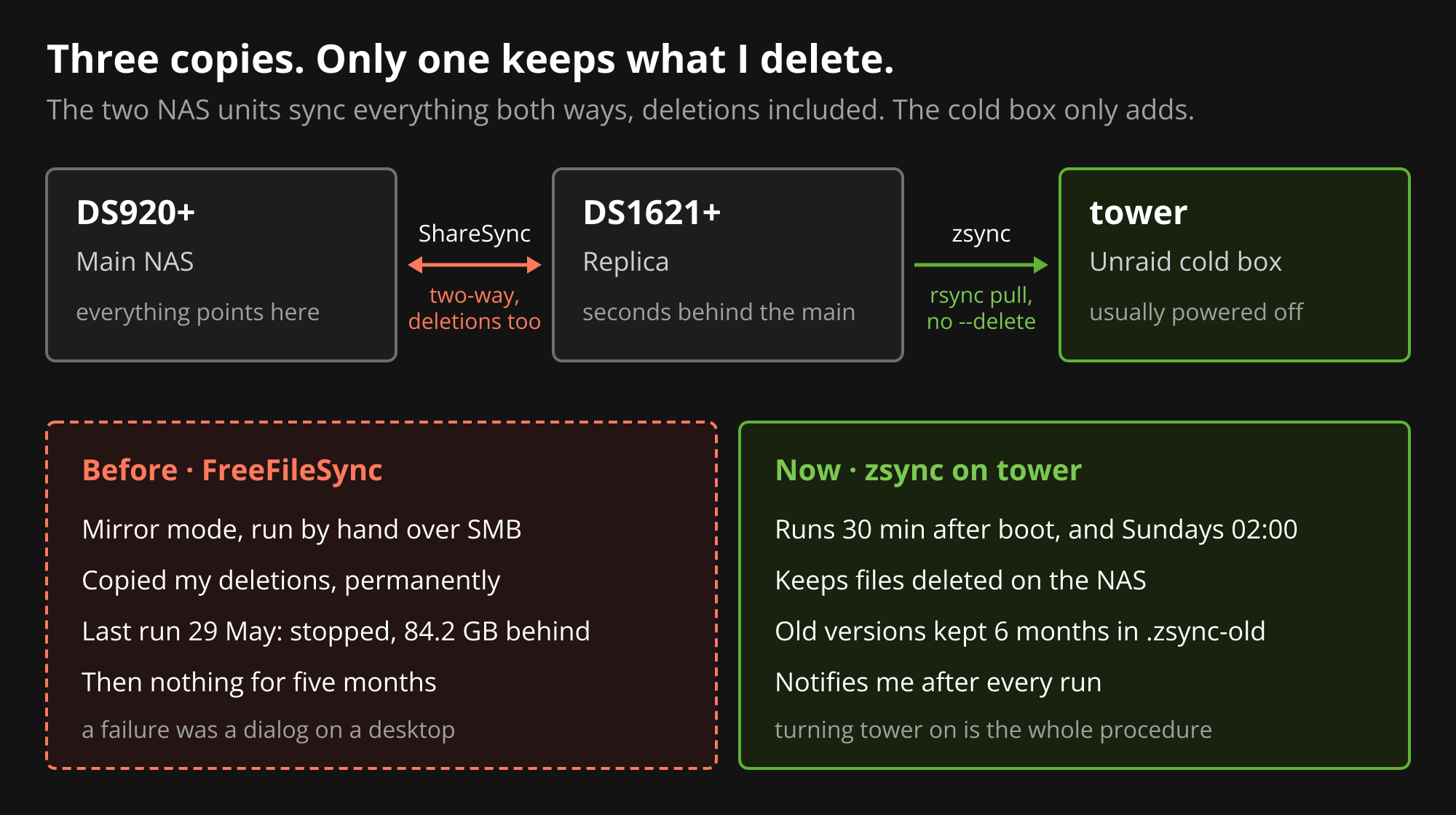
My files live on two Synology NAS units. The DS920+ is the one everything points at. The DS1621+ holds a second copy, kept in step by Synology Drive ShareSync. A change on one shows up on the other within a few minutes.
That’s good protection against a dead drive or a dead NAS. It’s no protection against me. ShareSync is a two-way sync, so a deleted folder, a bad script or ransomware reaches the second NAS just as fast as a good change does.
So there’s a third copy on an Unraid server I call tower:
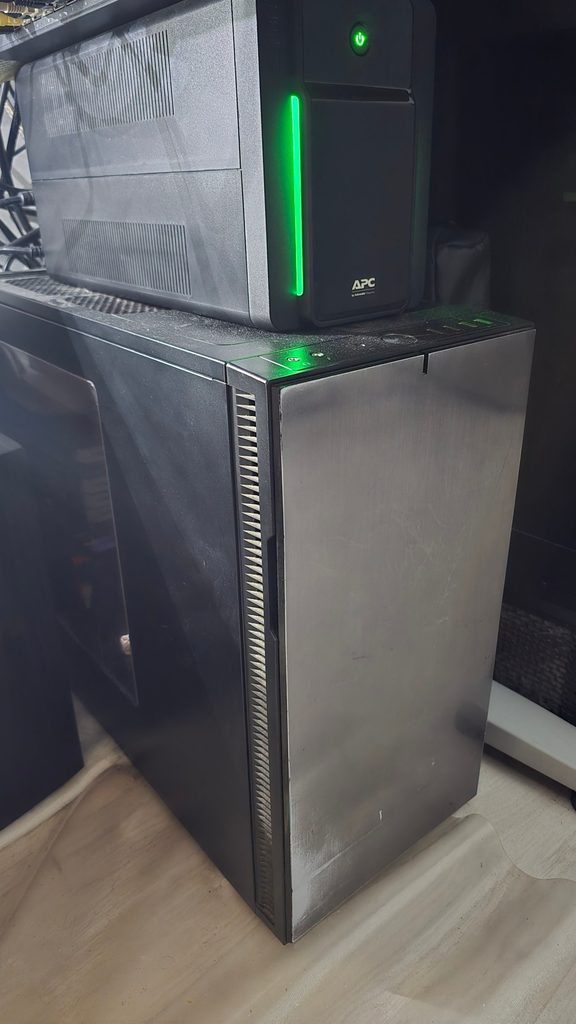
It holds about 50 TB across six disks with single parity, and it’s powered off most of the time. A box that’s off can’t be encrypted, can’t be fat-fingered, and doesn’t wear its drives out spinning for nothing. The catch is that it’s only useful if it’s reasonably current.
The FreeFileSync years
For years, tower was kept current with FreeFileSync. I had the same job saved on two machines, my Linux desktop and a Windows PC, so I could run it from whichever one I was sitting at.
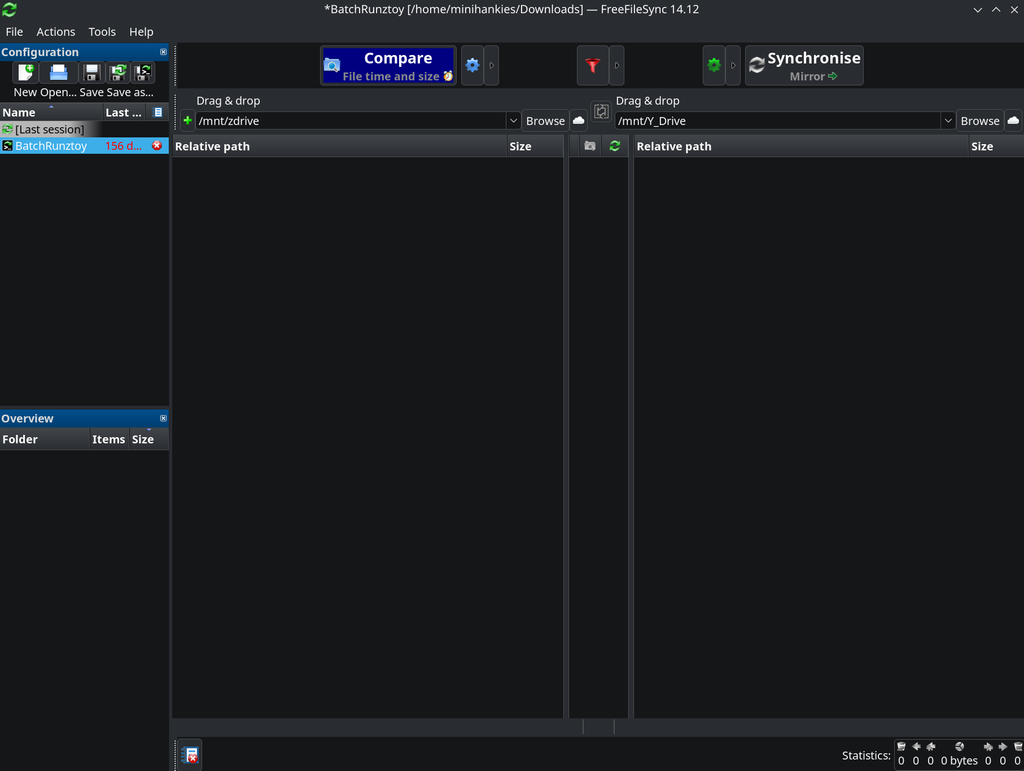
The job was simple:
- Left: the NAS
Z Driveshare, mounted over SMB - Right: tower’s
Y_Driveshare, also over SMB - Mode: Mirror, so tower becomes an exact copy of the NAS
- Errors: ignore and carry on
FreeFileSync is good software. The side-by-side compare is clear, and you can see every change before you commit. That’s also the problem: it needs a person at the controls. I had to remember, power tower on, mount both shares, open the app, wait for the compare, and keep the desktop awake until it finished.
When I went back through the logs, the last run on the Linux desktop was on 29 May 2026. It spent 7 minutes 48 seconds just comparing 633,615 items over SMB before copying anything. Seventeen minutes in, it stopped. It had copied 35 items and had 21,619 items, 84.2 GB, still to go. The final errors were failed writes to its own lock file on tower, which looks like the SMB connection dropping.
The deletion problem I hadn’t noticed
The same log showed something worse. Mirror mode deletes anything on the right that’s gone from the left. I’d set deleted files to go to the recycle bin, but there’s no recycle bin on an SMB mount, so FreeFileSync deleted them permanently. Four FLAC tracks and several app folders went that way in that one run.
For those files that was fine. But it meant my cold copy would faithfully copy any mistake I made on the NAS. If I’d deleted a photo folder by accident, the next sync would have removed it from tower too, permanently. A cold copy that copies deletions isn’t really cold.
What I wanted instead
Before writing anything, I wrote down the rules:
- Tower pulls. The NAS never gets write access to the cold box.
- Nothing gets deleted. If a file disappears from the NAS, tower keeps it. This was a deliberate choice: the cold copy should outlive my mistakes, even if that means it grows and needs the odd manual cleanup.
- Overwritten files are kept too. If a file changes, the old version gets moved aside, not replaced.
- Opt-in folders. Only top-level folders that already exist on tower get synced. Creating a folder on tower is how I opt one in.
- No human in the loop. It runs when tower boots and once a week, and it tells me what happened.
How zsync works
The result is a small bash script I called zsync. It lives on tower’s USB boot drive, so it survives reboots and Unraid upgrades.
Pulling from the replica
zsync pulls from the DS1621+, not the main NAS. ShareSync keeps it current, so the data is the same, and the busy NAS stays out of the backup path. I checked: file names, sizes and modified times match across both, with a lag measured in seconds.
A key that can only do one thing
Tower connects over SSH with its own key. On the NAS side, the key is locked down:
from="10.44.7.30",no-port-forwarding,no-X11-forwarding,no-agent-forwarding,no-pty ssh-ed25519 AAAA... tower-zsyncIt only works from tower’s IP, and it can’t open a terminal or forward ports. If that key leaked, it would be close to useless anywhere else.
The copy
Each opted-in folder gets one rsync call:
rsync -rlt --protect-args --itemize-changes --stats \
      --backup --backup-dir="$OLD_ROOT/$name" \
      --exclude='#recycle' --exclude='@eaDir' --exclude='.DS_Store' \
      -e "$SSH" \
      "<user>@10.44.7.21:/volume1/Z Drive/$name/" "/mnt/user/Y_Drive/$name/"
There’s no --delete. That flag is the whole difference between a mirror and a cold copy.
--backup-dir handles the third rule. Any file rsync would overwrite gets moved into Y_Drive/.zsync-old/<date>/ first. Those sets are pruned after six months, which is the only time zsync ever deletes anything, and only from its own backup folder.
Safety rails
- Dry run by default. Running the script directly only compares. A real run needs
DRY=0, which the wrapper sets. - A lock.
flockstops a boot run and a weekly run from overlapping. - Array check. If the Unraid array isn’t mounted, it skips and says so, instead of writing into an empty mount point.
Two triggers and a notification
Tower is usually off, so a weekly cron job alone would rarely fire. zsync has two triggers:
- Boot: 30 minutes after tower starts, once the array is up. Turning tower on is now the whole backup procedure.
- Weekly: Sunday 02:00, for the times it’s left on.
Every run ends with an Unraid notification: “zsync done” or “zsync failed”, with the last lines of the log. That matters more than it sounds, as I found out two days later.
It broke two days later
The first real runs on 29 October worked. Tower booted again on the 30th, and the boot run failed with cannot list source.
The verbose SSH output was confusing. The NAS accepted tower’s key, Authenticated using "publickey", and then said Permission denied.
The cause: I’d turned off Terminal SSH on the DS1621+ as part of some hardening. That should have caused Connection refused. It didn’t, because the NAS also has its rsync service enabled, and DSM keeps the SSH daemon running for rsync-over-SSH even with Terminal SSH off. It accepts the login and then refuses anything that isn’t rsync.
zsync’s copy step was rsync, so it would have worked. But the first step, building the list of folders on the NAS, used a remote shell command: cd and find. That was refused, so the script stopped before copying anything.
The fix was to make every step rsync. rsync --list-only lists a remote folder without a shell:
listing=$(rsync --list-only --protect-args -e "$SSH" "<user>@10.44.7.21:/volume1/Z Drive/")A few lines of awk keep only the directories. I tested it as a dry run with Terminal SSH switched off, and it listed every folder and exited cleanly. Terminal SSH on the NAS can now stay off.
Has it worked since?
Tower booted on 31 October. Thirty minutes later the boot run finished: “zsync done (boot)”. It was still on overnight, so the weekly run fired at 02:00 on 1 November: 14 folders checked, zero files transferred, no errors. Nothing had changed since the boot run, which is the result I wanted.
The difference from FreeFileSync isn’t speed. It’s that I no longer have to remember to do anything. With FreeFileSync, a failure meant a stopped dialog on a desktop I might not look at for days, and no run at all meant silence. Now every run tells me how it went.
What I’d tell someone doing the same
- Check your mirror’s deletion behaviour. If your cold copy deletes what your NAS deletes, it’s a replica, not a backup. On SMB, “recycle bin” may quietly mean “delete permanently”.
- Pull, don’t push, and give the pulling key the least access you can.
- Notify on success too. A “done” message every week is how you notice when it stops arriving.
- Test against the security settings you’ll actually run. My script worked in testing because SSH was on. The first hardening change broke it.
- Make the backup a side effect. For a box that’s usually off, “it syncs when it boots” beats any schedule.