The update bug got me. It got me good. With the recent releases of the latest generation graphics cards from Nvidia (the RTX 3000 series) and AMD (the RX 6000 series), I’ve been itching to upgrade my gaming setup. I know that it’s more a want than a need, but when has my addiction to the latest tech ever needed any justification?
For reference, my current rig was built in 2019, and isn’t too bad:
- Gigabyte Z390 Aorus Elite
- i7 9700K
- Corsair Vengeance RGB Pro 3000 CL15 32GB
- Samsung 970 250Gb Evo Plus
- ZOTAC GeForce GTX 2070 Mini OC
- Corsair 900D
- Windows 10 Pro
- Corsair h115i Platinum
- Corsair Hxi 850w Platinum
- 3 x Dell U2414H
The one component that I obviously need to upgrade to take advantage of my current GPU and any future (i.e. coming very soon) upgrade would be my monitors. The U2414H’s are about 5 years old, and though they are still as sharp as the day I got them, they are missing some key new features that I’ve been dying to try out.
The big one is obviously adaptive sync, which comes in 2 flavours: Nvidia’s G-Sync or AMD’s Freesync. This feature allows the frame or refresh rate of the monitor to scale up or down depending on what the GPU is capable of delivering. This benefits gamers by eliminating tearing, stuttering and judder during gameplay. I’ve seen a few demos of 144Hz displays and games in shops, and I’ve always been blown away by how smooth the games feel. I want that feeling when I’m sitting down for a sesh at home too. Unfortunately, my current monitors are only capable of going up to 60Hz.
That’s where this bad boy comes is:
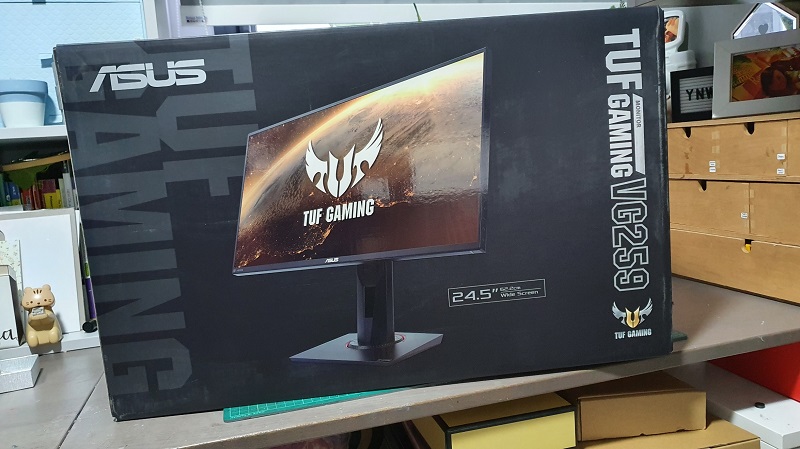
While maintaining the same profile and size of my current monitors, this little fella can boost up to 280Hz! That’s > 4 times what my current monitors can do. Its also got some other modern features like Extreme Low Motion Blur (ELMB) backlight strobing, which claims to improve the sharpness of the image further. Also important for me was the fact that this was an IPS monitor, which I have always found to be the best for colour reproduction. Every monitor I have is an IPS monitor, and this one would be no different!
You may be wondering why I didn’t go for a larger size and bigger resolution. The main use case for my PC is for work and productivity, and for that, nothing beats multiple monitors. I find 4K monitors to be too big for a desktop, and the size of 27 inch/1440p monitors means I can only fit 2 of them on my desk. Add on the fact that I’ll need a top-of-the-line GPU (RTX 3090 or RX 6900) to drive them to even 60Hz, it just does not make sense for me.
One area where this monitor lacks is probably HDR. Its HDR 400 certified, but that is a pretty low bar. My 3 year old 65″ LG Oled B6 TV is so much brighter, but then it also costs me the equivalent of a couple of body parts. For a 80% productivity / 20% gaming use case the VG259QM should do just fine.
The first game I loaded up was Shadow of the Tomb Raider, and put everything on High settings. When I ran the benchmark, the FPS was usually in the 140-150fps range. During actual gameplay, it went from a high of 180 fps all the way down to 95 in some high intensity scenes. This was with ray tracing and DLSS enables. The visuals were epic!