Latest Posts

  • Network Upgrades for 2024

    As 2024 comes to a close, I want to reflect on how my home network has evolved. This year, I made the big step up to 10Gbps WAN and LAN networks by changing my ISP as well as incorporating 10G routers and switches.

    I started by upgrading my router to the new Wifi7 capable Asus RT-BE88U, and moved my previous primary router, the GT-AX11000 Pro to an AiMesh mode. I also use an old AX-56U as an additional node in one of my rooms. This was the year I finally retired the Gadget Review: Asus RT-AC5300 Router after 8 years of service. It was crumbling apart!

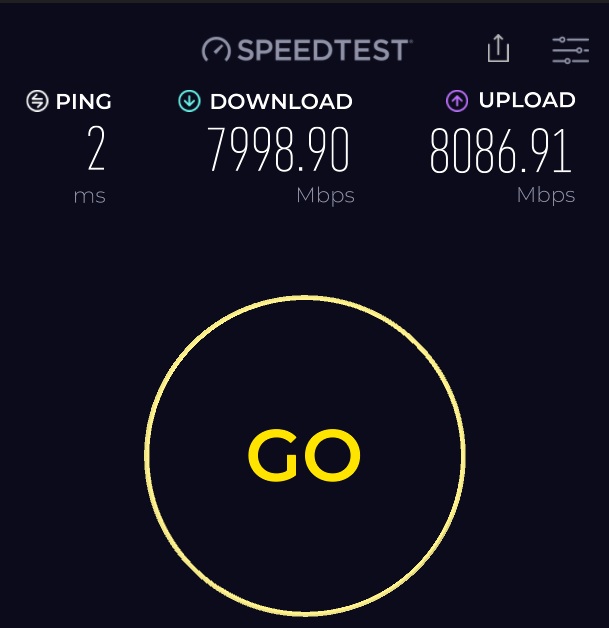
    As my new primary router had 2 x 10G ports (1 being an SPF+ port), I figured it was time to jump into the world of 10Gbps internet speeds. I signed up with a new ISP who provided an XGS-PON network which generally delivers up to 8.2Gpbs real-world speeds. I had to get an SPF+ to RJ45 converter (TL-SM5310-T) to enable compatibility with the rest of my network equipment.
    From the router, I added a TL-SX1008 TL-SX1008 8-Port 10G Desktop/Rackmount Switch which connected to the patch panels which runs Cat 5E to each room. I was worried that this older category of cabling would hamper my local network speeds. Thankfully, because of the short distance, I was seeing almost close to 10Gbps speeds.
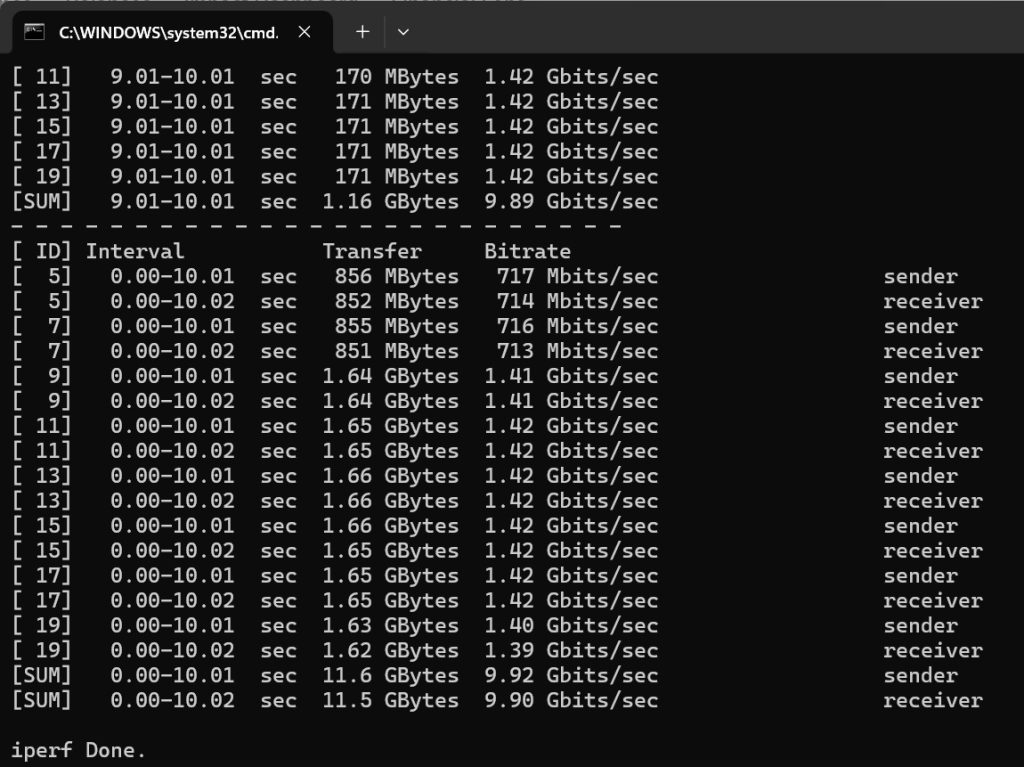
    I also had to add another TL-SX1008 to my study room to provide a 10G ethernet backhaul connection to the GT-AX11000 Pro as well as provide sufficient ports for my main PC and my server. I had to upgrade all my PCs/servers with PCIe 10G NICs which I bought cheaply off AliExpress. They all run the Marvell AQC113 chip.

    I also got a new M4 Mac Mini to replace my ancient HTPC, and I configured it with a 10G ethernet port too. I also purchased a Thunderbolt 3/4/USB4 to 10Gbps adapter to plug into my laptop. I lastly added a 5Gbps USB dongle to add a high speed connection to my NAS.

    While I didn’t need a 10Gbps network, this new setup works seamlessly and I’ve not had any network disruptions in the month that I’ve had it running. With this upgrade, my home network is setup with high bandwidth networking that will enable me to explore setting up a homelab to experiment with Proxmox and Docker on my server. Additionally, a 10Gbps NAS may be on the horizon in a year or 2. 😅
  • Time to Upgrade: Zotac RTX 3070 Twin Edge OC Review

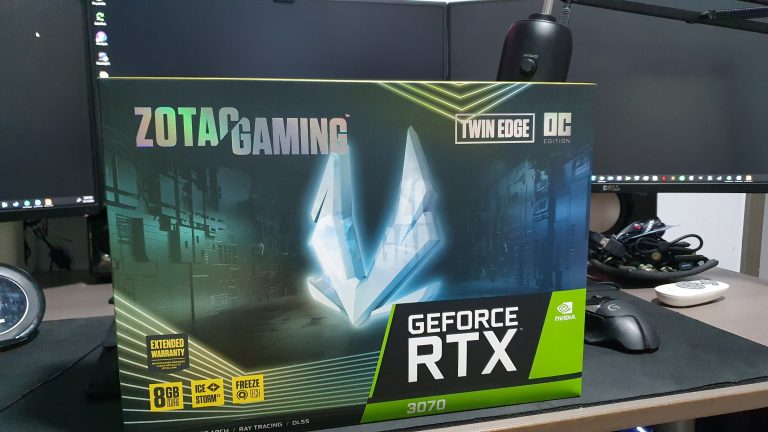
    Nvidia RTX 3000 GPU’s have been in short supply literally from the minute they launched. There have been countless forum threads, tweets and Youtube videos dedicated to how impossible its been to find and buy one of these elusive GPUs. It looks like a combination of actual user demand, short supply, and scalpers have made it almost impossible to get your hands on one of these cards.

    I have been targeting the RTX 3070 to pair with my Asus VG259QM, so that I could maximise that 240Hz refresh rate. So after reading about the kerfuffle surrounding the RTX 3080 launch, I didn\’t hold out much hope that I would be able to buy one. On launch day itself (October 28), it was no surprise to see all the online stores immediately go out of stock. I took a trip down to the local PC mall, and was aghast at the marked up prices the retailers were selling the cards for. For a US$500 / S$750 GPU, the shops and scalpers were asking over S$1000!

    I reached out to the distributor directly, and even they could not tell me when more stock would come in to be listed on their online store. I resigned to the fact that I would probably not get a new GPU this year, as the shortages were expected to last until 2021. So lo and behold, to my immense surprise, that same distro releasing exactly 1 piece of the Zotac RTX 3070 Twin Edge OC at 6pm on 30 October through their online store. I was randomly refreshing the online ecommerce store, and there it was – 1 piece left in stock! I have never gone through a checkout process that fast!

    Five days later, I welcomed this baby to its forever home:

    Granted, I did end up paying a slight markup, but it was less than 10%, so no major issues there. I was actually more worried that the online store would cancel my order, as there were numerous reports on other sites (i.e. Reddit) of that happening to other users.

    So I was relieved when it shipped on Monday.


    Here are the specs:
    GPU GeForce RTX 3070
    CUDA cores 5888
    Video Memory 8GB GDDR6
    Memory Bus 256-bit
    Engine Clock Boost: 1755 MHz
    Memory Clock 14 Gbps
    PCI Express4.0 16x
    Display Outputs3 x DisplayPort 1.4a (up to 7680×4320@60Hz)
    HDMI 2.1* (up to 7680×4320@60Hz)
    *Ultra High Speed HDMI Cable is required to support 8K/60FPS or 4K/120FPS
    HDCP Support 2.3
    Multi Display Capability Quad Display
    Recommended Power Supply 650W
    Power Consumption 220W
    Power Input2 x 8-pin
    DirectX12 Ultimate
    OpenGL4.6
    Cooling Ice Storm 2.0
    Slot Size Dual Slot
    Card Length231.9mm x 141.3mm x 41.5mm / 9.1\” x 5.6\” x 1.6\”
    Accessories2 x Dual 6-pin to 8-pin cable
    Manual

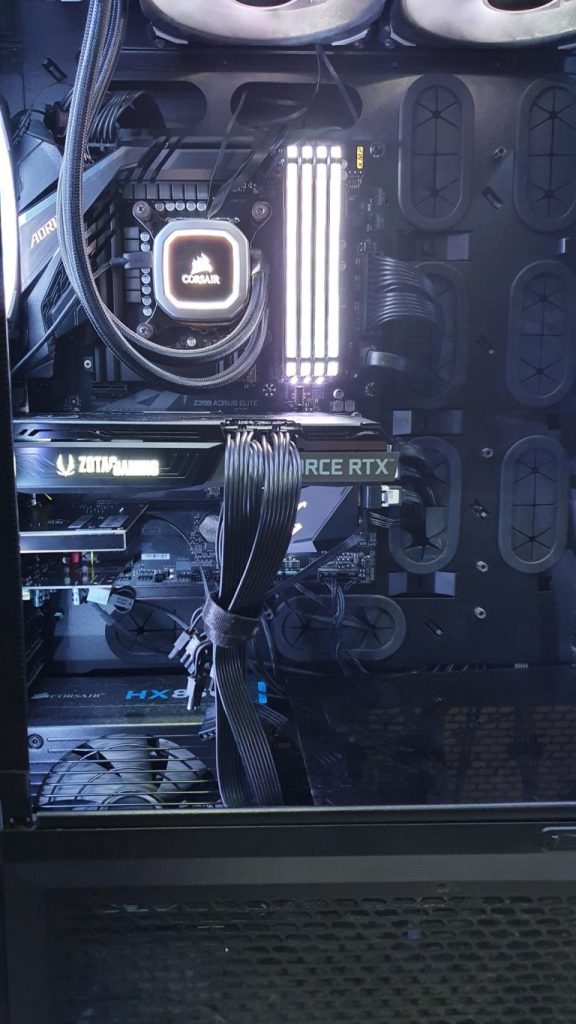
    I had it installed in my rig in about 5 minutes


    Damn that looks good! I fired up the 3D Mark benchmarks and these were the scores:

    Time Spy: 12133
    TIme Spy Extreme: 6025
    Port Royal: 8038

    Next, i jumped into Shadow of the Tomb Raider and ran the benchmark


    130 FPS on average is crazy with those ‘Highest’ settings! And my god does the game look gorgeous with raytracing and DLSS. I’ve seen at least a 30% improvement over the RTX 2070 (which has been donated to my daughter’s PC, btw). This is probably the largest performance jump across generations I’ve seen in the last 10 years. The GPU boosted up to 1950 MHz, which is an astounding number!

    I also ran GS:GO, and it was a constant 240 fps throughout the game. That is absolutely nuts!

    My one concern about this card is the idle temperature. At max load through out a game, it’s peaked at 72 C, which is pretty good. However at idle, it stays at 55 C, because the fans don’t turn on until it hits 60 C. I’ve tried to use Ice Storm to plot a custom fan curve, but it doesn’t seem to stick after a restart. Might have to try Afterburner eventually.

    Overall, I must say that the combination of the RTX 3070 and a high refresh rate (more the 240fps) 1080p monitor is as good as it gets in 2020, and is at least on par with the 1440p/144Hz and 4k/60Hz options. Might need to get my hands on one of those ultra wide QHD monitors. Gah, why does the AW3420DW have to be so pricey!

    If you’re gaming at those higher resolutions, then I would recommend that you look at the RTX 3080 or the RTX 3090. But for 1080p, the RTX 3070 is more than enough to keep you in those high framerates.


    p.s. Shireen, don’t be such a kay poh

  • Asus VG259QM High Refresh Rate Gaming Monitor Review

    The update bug got me. It got me good. With the recent releases of the latest generation graphics cards from Nvidia (the RTX 3000 series) and AMD (the RX 6000 series), I’ve been itching to upgrade my gaming setup. I know that it\’s more a want than a need, but when has my addiction to the latest tech ever needed any justification?

    For reference, my current rig was built in 2019, and isn’t too bad:

    • Gigabyte Z390 Aorus Elite
    • i7 9700K
    • Corsair Vengeance RGB Pro 3000 CL15 32GB
    • Samsung 970 250Gb Evo Plus
    • ZOTAC GeForce GTX 2070 Mini OC
    • Corsair 900D
    • Windows 10 Pro
    • Corsair h115i Platinum
    • Corsair Hxi 850w Platinum
    • 3 x Dell U2414H

    The one component that I obviously need to upgrade to take advantage of my current GPU and any future (i.e. coming very soon) upgrade would be my monitors. The U2414H’s are about 5 years old, and though they are still as sharp as the day I got them, they are missing some key new features that I’ve been dying to try out.

    The big one is obviously adaptive sync, which comes in 2 flavours: Nvidia’s G-Sync or AMD’s Freesync. This feature allows the frame or refresh rate of the monitor to scale up or down depending on what the GPU is capable of delivering. This benefits gamers by eliminating tearing, stuttering and judder during gameplay. I’ve seen a few demos of 144Hz displays and games in shops, and I’ve always been blown away by how smooth the games feel. I want that feeling when I\’m sitting down for a sesh at home too. Unfortunately, my current monitors are only capable of going up to 60Hz.

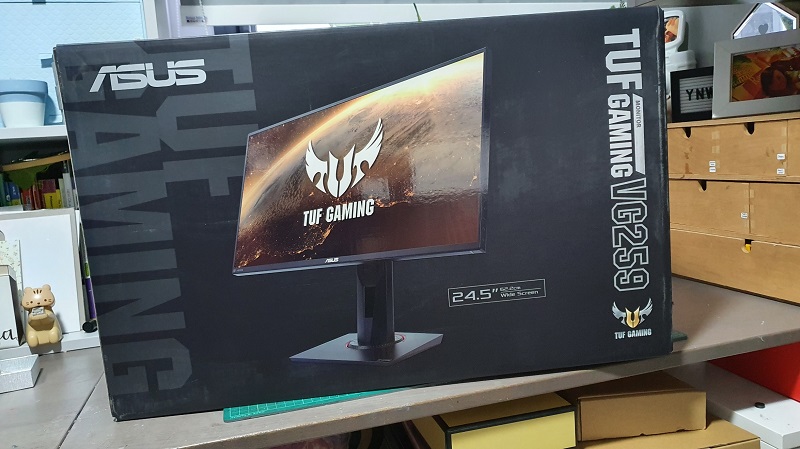
    That’s where this bad boy comes is:


    While maintaining the same profile and size of my current monitors, this little fella can boost up to 280Hz! That’s > 4 times what my current monitors can do. Its also got some other modern features like Extreme Low Motion Blur (ELMB) backlight strobing, which claims to improve the sharpness of the image further. Also important for me was the fact that this was an IPS monitor, which I have always found to be the best for colour reproduction. Every monitor I have is an IPS monitor, and this one would be no different!

    You may be wondering why I didn’t go for a larger size and bigger resolution. The main use case for my PC is for work and productivity, and for that, nothing beats multiple monitors. I find 4K monitors to be too big for a desktop, and the size of 27 inch/1440p monitors means I can only fit 2 of them on my desk. Add on the fact that I\’ll need a top-of-the-line GPU (RTX 3090 or RX 6900) to drive them to even 60Hz, it just does not make sense for me.

    One area where this monitor lacks is probably HDR. Its HDR 400 certified, but that is a pretty low bar. My 3 year old 65″ LG Oled B6 TV is so much brighter, but then it also costs me the equivalent of a couple of body parts. For a 80% productivity / 20% gaming use case the VG259QM should do just fine.

    The first game I loaded up was Shadow of the Tomb Raider, and put everything on High settings. When I ran the benchmark, the FPS was usually in the 140-150fps range. During actual gameplay, it went from a high of 180 fps all the way down to 95 in some high intensity scenes. This was with ray tracing and DLSS enables. The visuals were epic!