A fast, honest little L2 switch with a web UI that will eat your work if you let it.
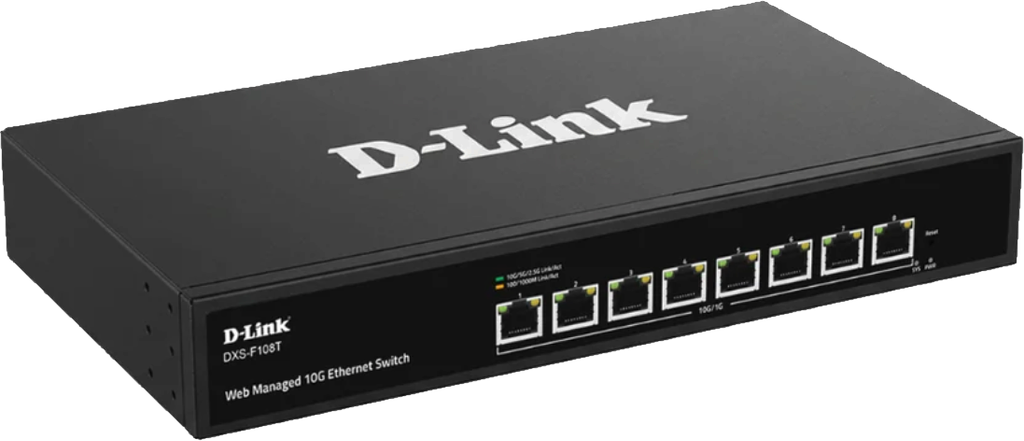
I spent most of a Saturday moving my house from an unmanaged 10G switch to a managed one, and the switch I picked was the D-Link DXS-F108T — eight 10GBASE-T ports, web management, S$340. Here’s what it actually does, what the datasheet gets wrong, and the four ways its firmware will bite you.
What you get
The unit ships as a KT-NOS DXS-F108T running firmware v1.1.1.29. Eight 10GBASE-T ports labelled TE1 through TE8, all 802.3bz adaptive, so they’ll negotiate 100M / 1G / 2.5G / 5G / 10G depending on what you plug in. On paper: 160 Gbps switching capacity, 119.04 Mpps forwarding, a 16K MAC table, 12 Mbit of packet buffer, jumbo frames to 9000 bytes, store-and-forward. It draws 13.8 W, has one fan, and sits on a desk rather than in a rack.
No PoE. No SFP+. Hold that second one, because it’s the complaint I keep coming back to.
Why I bought it
The head end of my house was a perfectly good unmanaged 10G switch, and for 2 years that was fine. What broke it was wanting VLANs.
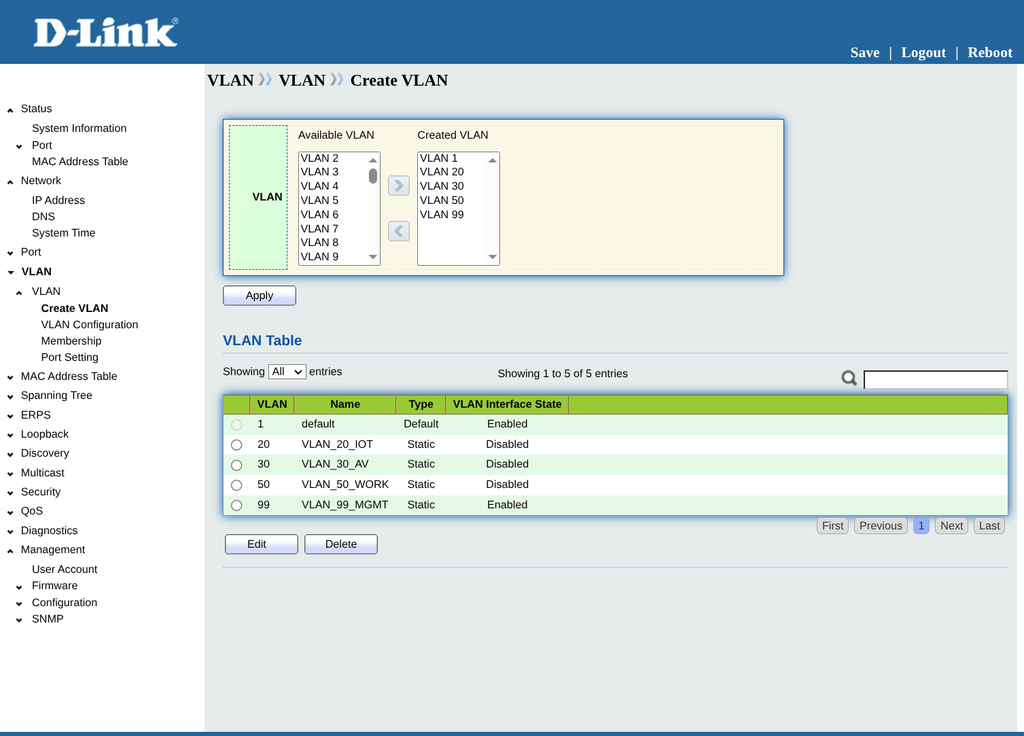
My router can create guest network profiles with their own VLAN IDs, but no port mode it offers expresses the thing I actually needed: untagged VLAN 1 plus a set of tagged VLANs on the same port. That combination matters because the mesh node at the far end of the house (separated by 6 walls) runs a wired 10G backhaul, and I confirmed by testing that the mesh tags guest SSID traffic across that backhaul rather than tunnelling it. Strip the tags off the port and guest wireless in that room stops working.
So the managed switch was not an upgrade. It was a prerequisite. Anything that could do 802.1Q trunk ports at 10G would have done, and at S$340 for eight ports this was the cheapest way there.
Throughput: it does exactly what it says
The interesting test isn’t switch-to-switch on a bench, it’s whether the thing holds line rate in a real house with real cabling in the way.
Using iperf3 with four parallel streams, between a 10G client PC in the study and a 10G hypervisor sitting at the head end — traffic crossing a wall run, a patch panel, four cascaded unmanaged switches and the DXS itself:
- Study to head end: 9.41 Gbit/s, zero retransmits
- Head end to study: 8.31 Gbit/s, with around 10,000 retransmits
That’s line rate one way and near enough the other. The retransmits on the return path are almost certainly the receiving NIC and CPU rather than the switch, since the same path in the other direction is clean. The router’s 10G LAN port negotiates at 10000 Mb/s into TE1 and stays there.
The fan is audible if you put your ear next to it and inaudible from two metres away in a quiet room. Mine sits in a DB cupboard, so this may not be a fair test. It was way quieter than the TP-Link TL-SX1008 it replaced.
Features: what’s real, what isn’t
Real, and working: 802.1Q VLANs with explicit access / trunk / hybrid port modes, VIDs 1-4094. A Manager VLAN so you can strand the admin interface somewhere unreachable. Ingress filtering per port. RSTP with BPDU Guard, BPDU Filter and Edge Port. Loopback detection. IGMP snooping v1/v2/v3 with router port. LACP across 8 groups. Port mirroring, 4 session groups. Storm control. DHCP snooping. Q-in-Q, if you have a reason.
Not there: inter-VLAN routing (this is pure L2), ACLs of any kind, 802.1X or MAC-based dynamic VLAN assignment, SSH, any CLI at all, and HTTPS. Management is plain HTTP.
One datasheet correction worth knowing: the spec sheet I bought from lists SNMP v1/v2c. The switch’s actual SNMP menu has View, Group, User and Engine ID pages, which are v3 constructs — v1/v2c only ever has Community. The security posture is better than advertised. I have SNMP switched off entirely, so this is academic for me, but if you’re buying on the strength of the feature list, that list undersells it.
The absent ACLs are the real ceiling. Because the switch can’t route or filter, every packet between VLANs hairpins back through the router’s CPU. On my setup that path tops out around 2.35 Gbps and lands lower once NAT is involved. A 10G switch does not buy you 10G between VLANs, only within one. Design your VLAN boundaries around that or you’ll build a very fast network that’s slow in exactly the place you care about.
Four ways the firmware will bite you
This is the part I’d have wanted to read before buying.
The running config lives in RAM
Every page you configure applies immediately and survives exactly until the power goes. I built out an entire phase of my design — admin password, SNMP, spanning tree, four VLANs, port modes, membership, loopback detection — then unplugged the switch to move it across the house, and lost all of it. Save Running to Startup after every page, not every session. Two extra clicks per page means an interruption costs you one page instead of everything.

There’s an upside to this, and it’s genuinely useful. Moving the management VLAN is a one-way trip in the UI: the IP Address page has a single Management VLAN selector and no Add button, so it’s one irreversible Apply. But because nothing persists until you save it, you can apply the change, verify the new path works, and if it doesn’t, pull the power and boot back into the old config. The volatility that cost me a rebuild is also the rollback.
Config exports have a freshness problem
Export as Running Configuration over HTTP and you get a .cfg file. Check the ! System Up Time: line before you trust it. I lost an hour convinced the firmware was serving a cached file, because three exports came back byte-identical including the uptime. The firmware was fine — my files were copies. But the habit stands, because the uptime line is the only way to tell a fresh pull from a stale one, and diffing a copy against its own source confirms precisely nothing.
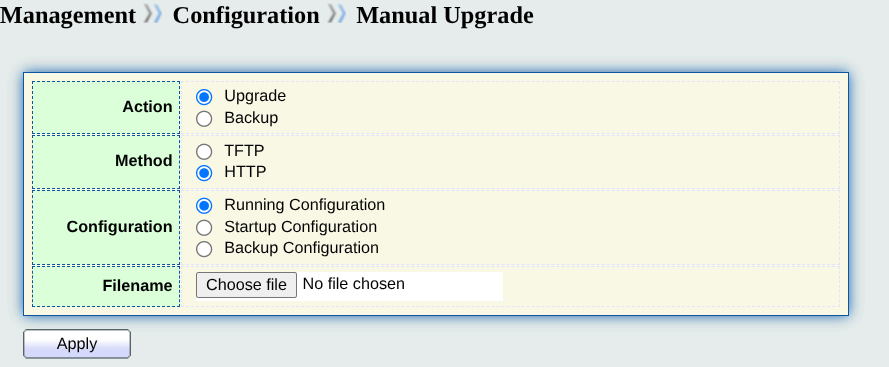
Also worth knowing: the download lands on whichever machine is driving the web UI, which may not be the machine you then go looking on.
Membership and PVID are separate settings
Making a port an untagged member of a VLAN controls what leaves the port. PVID controls which VLAN untagged frames arriving at the port get filed into. Set one and forget the other and the port transmits on one VLAN while filing replies into another. Traffic goes out, nothing comes back, and it reads like dead hardware rather than a config error. The explicit access-port mode sets PVID for you; hybrid ports do not.
BPDU Filter sits next to BPDU Guard and does the opposite thing
Guard shuts a port down when it receives a BPDU. Filter suppresses BPDU processing altogether, which quietly neuters Guard while the UI shows both as configured. Leave Filter disabled everywhere. And only put Guard on ports where a switch should genuinely never appear — I have it on two bedroom runs and nothing else, because a port feeding cascaded unmanaged switches that happens to forward one BPDU will kill itself and take the room with it.
The feature I didn’t expect to need most
Loopback detection, not spanning tree.
RSTP only catches loops where both ends land on the managed switch’s own ports. The loop my network actually suffered lived three hops away behind cascaded unmanaged switches, completely invisible to STP. Loopback detection sends a probe frame and watches for it coming back on the same port, which works precisely because dumb switches flood it straight back. It’s enabled on all eight of my ports, in Automation mode, 5-second detect and 30-second resume.
If you’re putting this switch in front of a mess of unmanaged gear, this is the setting that earns its keep.
Verdict
For S$340, eight ports of genuine 10GBASE-T that hold line rate, plus a competent 802.1Q implementation and better SNMP than advertised, is a good deal. It did the one job I bought it for, which was to make VLANs possible at the head end of a house that has structured cabling and a tag-happy mesh node.
Two real complaints. No SFP+ means my router’s 10G fibre LAN port needs a media converter to reach it, which puts an extra unpowered box in the most important path in the house. And HTTP-only management with no SSH means the admin interface is something you have to actively hide rather than something you can secure. I put mine on an isolated management VLAN with no gateway and a dedicated rescue port, which is a sensible thing to do anyway, but here it isn’t optional.
Buy it if you need cheap 10G with VLANs and you’re prepared to read the manual. Look elsewhere if you want ACLs, routing, or a config that survives being unplugged.