Hello Readers!
I’m back for my annual update on the state of my home network (state-of-the-network?).
This year, I’ve gone in at the deep-end with a full 3-node Proxmox cluster for compute, and expanded from 2 to 3 storage servers. I’ve taken advantage of the 10G network I built last year, and have installed redundant power supplies to ensure everything keeps running even if there’s a power outage.
Compute
Starting with Proxmox, I experimented with re-purposing an old i7 4770K build, but it would have been cost prohibitive to run it full time as it idle’d at 60 watts. That would cost me $15 per month, while giving me less performance than a modern solution.
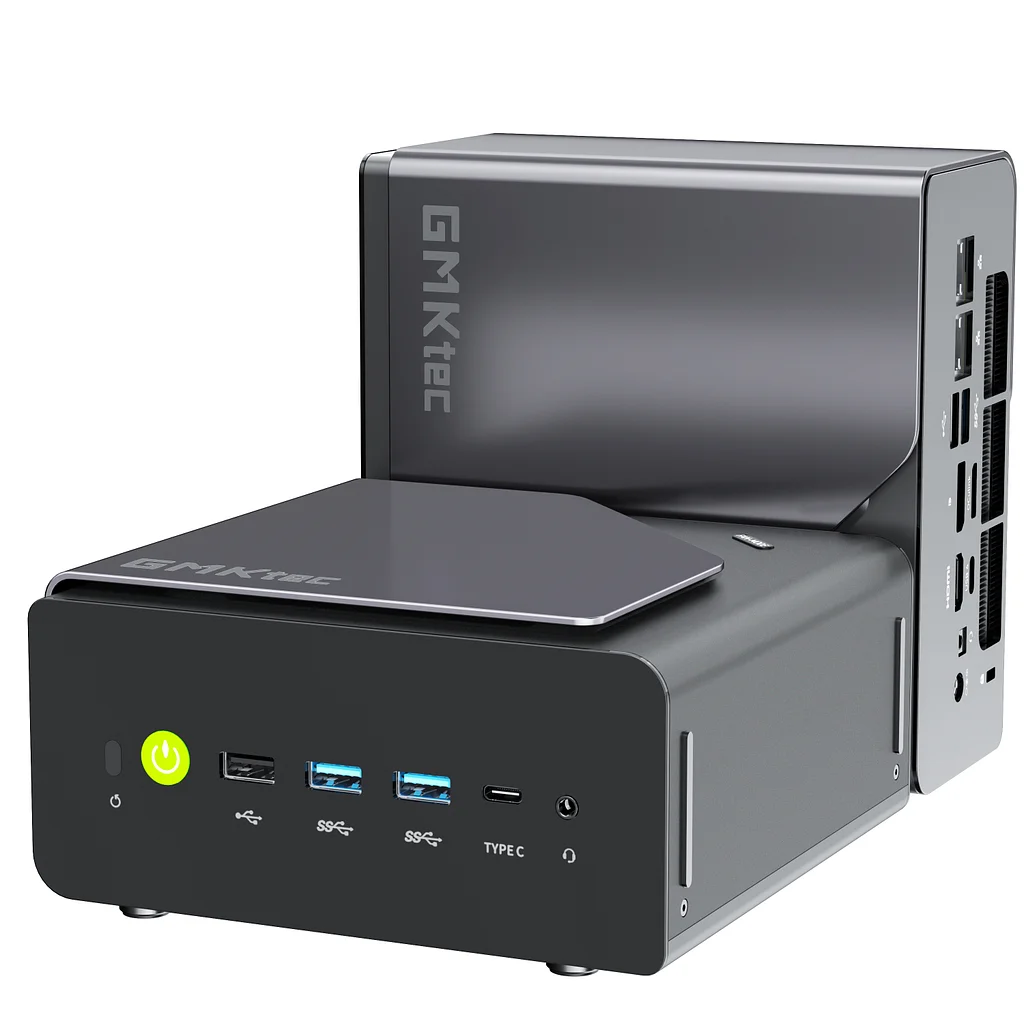
I picked up 2 mini pc’s with AMD H 255 processors (8 cores, 16 threads), 32GB RAM, 2.5Gbe networking and 1TB NVME storage. These were the Beelink Ser9 and the GMKTEC K12. I also picked up some used PC parts (i5 7500, 16GB RAM, NR200 Case) for $70 and cobbled together a third node for the Proxmox cluster.
The 3 Proxmox nodes run the following containerised services:
- pi-hole
- pialert
- openspeedtest
- NUT (for monitoring UPS status)
- heimdall dashboard
- karakeep
- beszel
- netvisor
- sterling-pdf
- termix
In addition, they also host 4 virtual machines (VMs):
- Windows 11
- Linux Mint
- Home Assistant
- Docker (for Portainer)
I have configured high-availability (HA) across the 2 primary nodes, with the third node acting as the quorum breaker. These services help me monitor my home, network and systems, store and edit notes and test different operating systems.
Storage
For storage, I added a third Network Attached Storage (NAS) device – a Synology DS1621+, to complement my existing stack – a Synology DS920+ and an Unraid server. In total, across the 3 devices, I have 150TB of storage space. Data is replicated on all three. My critical data (~1TB) is also backed up automatically to the cloud. The media stack (photos and video) runs natively on my storage devices, as it avoids having to move data from my compute nodes to storage (even though I have a multi-Gig network).
I plan to eventually move the media stack to the compute nodes, but the challenge will be the end-user user interface. I looked at Immich for the photo backup solution, but will continue to use Synology Photos as it provides a smoother user experience. I’m also stuck at mounting the storage devices to my compute nodes. This is entirely due to my lack of knowledge, for now.
To save electricity costs, I aggressively spin down the drives on the Synology units, as well as turn-off the Unraid server entirely. It serves as my cold backup that I spin up once a month to back up data. By doing this, I effectively have a 3-2-1 backup strategy in play.
Power
All my network, storage and compute devices are connected to Uninterruptible Power Supplies (UPS), so that in a power outage, my systems have time to automatically power down. The NUT server will get a warning from one of the UPS, and trigger all devices to shut down if power is not restored in 5 minutes.
Overall, across my 3 server nodes and 3 storage servers, I average at approximately 120W. If I include the network stack (2 x routers, 2 x 10G switched and 3 x 1G switches), the total average power consumption comes up to 200W, which equates to $39 per month, and accounts for 20% of my total electricity bill. I will need to find a way to reduce this running cost over the long term.