It has broken my audio, refused to speak to my Bluetooth chip, and eaten thirteen seconds of my life every time I opened a settings window. It’s still my favourite operating system.
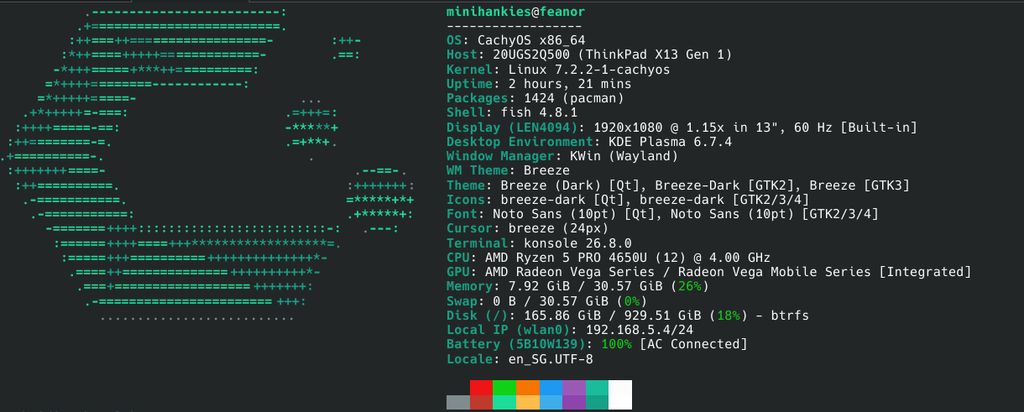
I run CachyOS on two machines, and they could hardly be less alike. gilgalad is a current all-AMD desktop that does photo work, gaming, and local AI. feanor is a second-hand ThinkPad X13 I found on a shelf in Japan for ¥45,800, whose CPU shipped in 2020. It’s my travel machine, and it’s also the one that carries my backups out of the house.
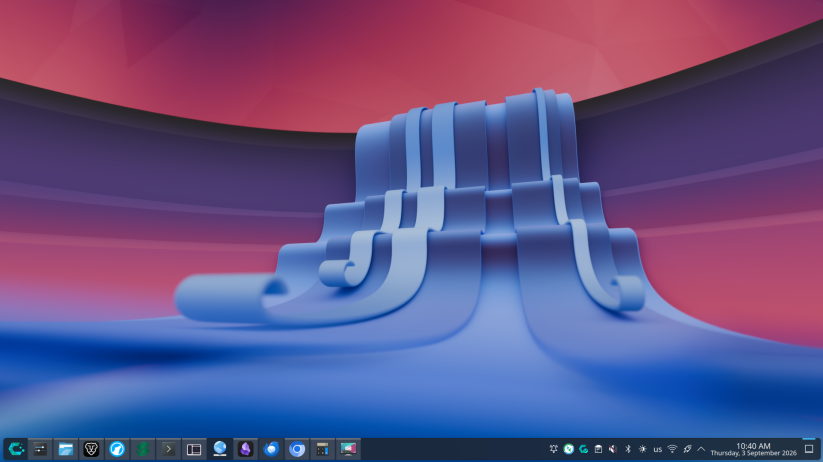
Same distro, same rolling repositories, six years of silicon between them.
This isn’t a distro-hopper’s first impression. It’s eight and a half months of daily driving on both, and I’ve kept in the parts that went wrong.
- CPU
- Ryzen 7 7800X3D
- GPU
- Radeon RX 9070 XT
- Memory
- 30 GiB
- Silicon
- Zen 4 · RDNA 4
- Kernel
- 7.2.2-1-cachyos
- Desktop
- KDE Plasma 6.7.4
- Session
- Wayland
- Root FS
- btrfs + zstd:3
- Model
- ThinkPad X13 Gen 1
- CPU
- Ryzen 5 PRO 4650U
- Cores
- 6C / 12T · 15 W
- GPU
- Radeon Vega, iGPU
- Memory
- 32 GB DDR4-3200
- Silicon
- Zen 2 · Renoir, 2020
- Display
- 13.3″ 1920×1080
- Cost
- S$485 all-in
The hardware bet paid off
The single best decision I made was going all-AMD. AMD publishes its graphics driver in the kernel itself. There’s no installer, no DKMS module to rebuild, and no “your driver does not support this kernel” the morning after an update. amdgpu is just there, and it moves forward with the kernel.
My RX 9070 XT is recent silicon: Navi 48, RDNA 4, gfx1201. It drives a 4K display at 120 Hz with HDR and wide colour gamut, and it runs ROCm 7.2.4 with MIGraphX for compute. I didn’t configure any of that; it worked at install.
Compare that to the other side of the fence, where a kernel update and a proprietary driver can still leave you at a black screen. On a rolling release, where the kernel moves every couple of weeks, an out-of-tree graphics driver is a permanent liability. Going AMD removes it.
The two machines make the point better than either would alone. feanor’s graphics are Radeon Vega on a 2020 Renoir APU; gilgalad’s are RDNA 4 on silicon that shipped last year. Six years apart, and both are driven by the same in-tree amdgpu, updated by the same pacman -Syu. The old one isn’t stuck on a legacy driver branch and the new one didn’t need a beta. That’s what upstreaming buys you, and you don’t notice it until you compare hardware this far apart.

What kernel 7.2 actually gave me — and what it didn’t
CachyOS ships its own kernel build, and it ships it fast. Kernel 7.2.0 arrived on my machine on 20 August; 7.2.2 followed eight days later. Close to the bleeding edge, and the main reason new hardware tends to just work here. Works, but with caveats.
My motherboard has a MediaTek MT7927 — a Wi-Fi 7 card. For a while (i.e. 8 months) I had no wireless, and when it started working around the same time 7.2 landed, I filed it away as “the new kernel fixed it.”
Wrong. The card binds to the mt7925e driver, and that driver and its firmware had been working the whole time. The real problem was an rfkill soft block plus NetworkManager reporting WIFI: disabled. Two software switches, both off.
The fix was
nmcli radio wifi on. It associated at 160 MHz EHT, real Wi-Fi 7, the moment I stopped blaming the kernel.
I’m telling on myself because it’s a common way to waste an evening: a symptom that looks like a missing driver usually isn’t one. Check rfkill, then check whether the radio is toggled off, and only then start reading kernel logs. I got that order wrong and it cost me an hour of troubleshooting.
Bluetooth, however, is genuinely broken
The same MediaTek chip has a Bluetooth side, and that one is a real wall. No kernel update fixes it.
The btmtk driver asks for a firmware blob called BT_RAM_CODE_MT6639_2_1_hdr.bin. The linux-firmware package doesn’t ship it. Without it, the driver resets the USB device roughly twice a second, forever, which hangs anything that enumerates USB.
So Bluetooth on this machine is blacklisted on purpose. Having it switched off is less painful than having it flap.
The blocker is legal, not technical. Someone extracted a working blob from MediaTek’s Windows driver and submitted it upstream. It was closed unmerged in May 2026, because firmware needs the vendor’s public sign-off before it can be redistributed. An Arch developer emailed seven MediaTek contributors in August and posted to the linux-mediatek mailing list. As of today, no reply.
This is the shape of Linux hardware support in 2026. The bottleneck isn’t the kernel, it’s vendors who won’t sign a licence. AMD signs. MediaTek, so far, hasn’t.
Things break. That is the deal.
CachyOS is Arch-based and rolling. There’s no version to upgrade between; packages arrive continuously. Across eight months that has meant 9,955 package upgrades over 170 separate update days. Roughly one update session every day and a half.
You don’t get that much change for free.
One morning in March my audio was simply gone. No output devices, no error, nothing obviously wrong in the logs. The fix turned out to be one line:
systemctl --user restart pipewireThe package log tells the story afterwards. At 09:18 that morning an update moved PipeWire from 1.4.10 to 1.6.0, a major version jump applied underneath a session that was already running. The new audio server was on disk, the old one still in memory, and nothing reconciled the two.
Thirty seconds to fix, once I knew. Having to know is the tax. Thankfully, there’s a passionate, active and dedicated group on Reddit (r/CachyOS) that was able to point me in the right direction. On a fixed-release distro that jump would have arrived months later, bundled with everything it was tested against, at a moment I’d chosen. Instead it landed on a Saturday morning while I was using the machine.
The kernel treadmill has second-order costs
feanor runs Secure Boot with my own keys, because it is the machine that leaves the house — on trips, and with backups on it. Setting that up once is straightforward. Keeping it is not, because every EFI binary has to be signed and on a rolling release new kernels arrive constantly.
An unsigned kernel doesn’t give you a warning. It gives you a laptop that won’t boot, discovered at the office.
The fix is a pacman hook that re-signs every EFI binary after each update, so a routine pacman -Syu can’t strand the machine at a firmware error. But an ordinary security decision has now picked up a maintenance obligation, purely because the distro rolls. On a fixed-release system you’d sign a kernel a handful of times a year and barely think about it. Here it had to be automated or it would eventually bite.
To be fair to CachyOS, it does more of this work than stock Arch does. Its kernel packages ship a lot of modules in-tree that you would otherwise build yourself through DKMS — and those modules arrive already signed:
$ modinfo v4l2loopback
filename:  /lib/modules/7.2.2-1-cachyos/.../v4l2loopback.ko.zst
signer:    Build time autogenerated kernel key
That is a virtual webcam driver, in the kernel package, signed, with no DKMS and no headers to build. On a machine enforcing signatures, an unsigned out-of-tree module is exactly the thing that refuses to load. So: run modinfo before you reach for DKMS or the AUR. There’s a good chance the work is already done.
btrfs is what makes the deal acceptable
My root filesystem is btrfs with zstd compression, and CachyOS sets up snapper and btrfs-assistant at install. Snapshots are taken around package operations automatically.
This is what makes a rolling release bearable. A bad update stops being a crisis and becomes an inconvenience: boot into the previous snapshot, carry on, deal with it later.
Running a rolling distro without filesystem snapshots is a choice I wouldn’t make.
Too many package managers, and a lesson
On this machine I have pacman, paru, yay, flatpak and octopi, plus docker and npm for development. Five ways to install a desktop application. Nobody planned this; it accretes.
Newcomers find this confusing, and it costs more than tidiness. I learned that with Darktable.
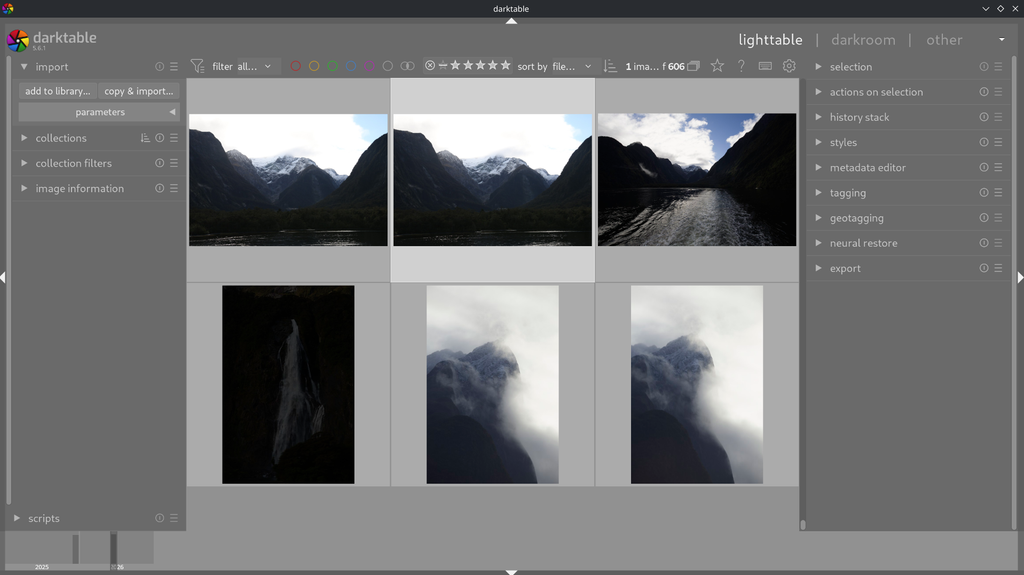
I ran Darktable as a Flatpak for months and assumed CachyOS was slow to ship updates. The Flatpak was the slow part, and its sandbox also broke tooling that expected real filesystem paths.
When I switched to the native package, the numbers looked like this:
| Stage | Timestamp | Lag |
|---|---|---|
Arch extra build | 28 Aug, 00:54 | — |
| CachyOS znver4 rebuild | 28 Aug, 13:11 | +12h 17m |
| Installed on gilgalad | 28 Aug, 19:06 | same day |
Twelve hours behind upstream Arch, and in my hands the same evening. If software feels stale on an Arch-based system, check what packaged it before you blame the distro.
Where the speed actually comes from
CachyOS’s headline claim is performance, and the mechanism is dull and specific: it maintains repositories compiled for newer x86-64 microarchitecture levels. My 7800X3D is Zen 4, so I pull from cachyos-znver4.
1,289 of the 2,051 packages on this machine — 63% — are Zen 4 builds rather than generic x86-64. On top of that sit a tuned kernel, ananicy-cpp with CachyOS’s ruleset for process priorities, and optional sched_ext schedulers you can load at runtime.
No single piece of that is dramatic. Compiler flags won’t double your frame rate. But the desktop feels immediate, and in eight months I have never once sat there thinking the machine was struggling.
The optimisation has a bill attached
The performance pitch leaves this part out, and it’s the clearest example I have of what a non-mainstream distro costs.
Because CachyOS maintains those per-microarchitecture repositories, it reports more than one host architecture:
$ pacman-conf Architecture
x86_64
x86_64_v2
x86_64_v3
x86_64_v4
Stock Arch returns exactly one. Anything written expecting one value breaks.
The casualty I hit was debootstrap — needed on the ThinkPad to run a Debian container, because Proxmox Backup Server has no Arch package at all. Arch’s debootstrap patch reads the host architecture from that command, matches its case statement against four values instead of one, falls through every branch, and exits with Unknown architecture: x86_64. Passing --arch=amd64 doesn’t help; that sets the target architecture, not the host’s.
The fix is one line:
echo amd64 > /usr/share/debootstrap/archThe feature that makes this distro fast is the same feature that breaks software written for its parent. That’s a drawback you need to be conscious of. It isn’t that Arch is unstable; it’s that you’ve stepped one layer off the path everything else was tested against, and occasionally something notices.
It was four values when I checked this week and three a month ago, so don’t hardcode the count.
For gaming the story is simpler: Steam, Proton, gamescope, lutris and mangohud are packaged and configured out of the box, including CachyOS’s own Proton build. Install and play. This is a solved problem now, and it’s strange to remember when it wasn’t.
Native AI, no WSL in sight
I didn’t anticipate this one, and now I wouldn’t give it up.
Running local models — Ollama, llama.cpp — means talking directly to GPU compute libraries. On Linux those libraries are native. ROCm installs from the package manager like anything else, and Ollama’s ROCm build is a package, not an ordeal.
On Windows the same work usually routes through WSL2: a Linux kernel in a VM, with a translation layer between your model and the GPU. It works. It also costs you memory, adds a filesystem boundary, and puts a layer between you and the hardware where you least want one.
Here there is no layer. The model talks to amdgpu. It is the same reason Darktable’s new AI features run on the GPU on this box — ONNX Runtime with the MIGraphX execution provider, pointed at gfx1201, installed from the repos.
If local AI is part of your work, Linux isn’t a lateral move from Windows.
An OS that isn’t selling me anything
I log in and nothing asks me to finish setting up my account, try the new assistant, sign in to sync, or rate my experience. No advertising ID, no telemetry I have to go and disable. The desktop opens and waits.
That absence is worth more to me each year.
But private by default isn’t secure by default. When I audited this desktop properly in August, on a machine I’d assumed was fine, I found real problems:
| Finding | Before | After |
|---|---|---|
| SSH daemon | enabled, password auth | disabled |
| Samba (smb / nmb) | enabled, 4 ports open | disabled |
| Firewall vs VPN | bypassed on the tailnet | services closed |
| LLMNR | listening on 5355 | off |
| mDNS | two responders fighting | single responder |
| Pending config files | 8 unreviewed | 0 |
The worst one: my firewall was set to drop everything inbound, and on the LAN it did. But my mesh VPN inserts its own accept rules ahead of the firewall’s chains. Every device on my VPN could reach an SSH daemon with password authentication on, while the same service was correctly blocked on the LAN. The firewall wasn’t misconfigured. It just wasn’t in that path.
I found the same gap on the ThinkPad a fortnight earlier and didn’t join the two up at the time. Its firewall had no rules at all and tailnet SSH worked fine. Two machines, same silent hole, and it took writing them down next to each other to see that it was structural and not a slip on one box. If you run a mesh VPN behind a host firewall, assume the firewall is not covering that interface until you have checked.
That’s the trade. Linux hands you the controls and assumes you’ll read the manual. It won’t stop you leaving a door open, and it won’t tell you that you did.
Why a tinkerer stays
Two days ago my System Settings window took thirteen seconds to open. Not slow, exactly: stopped dead, then fine.
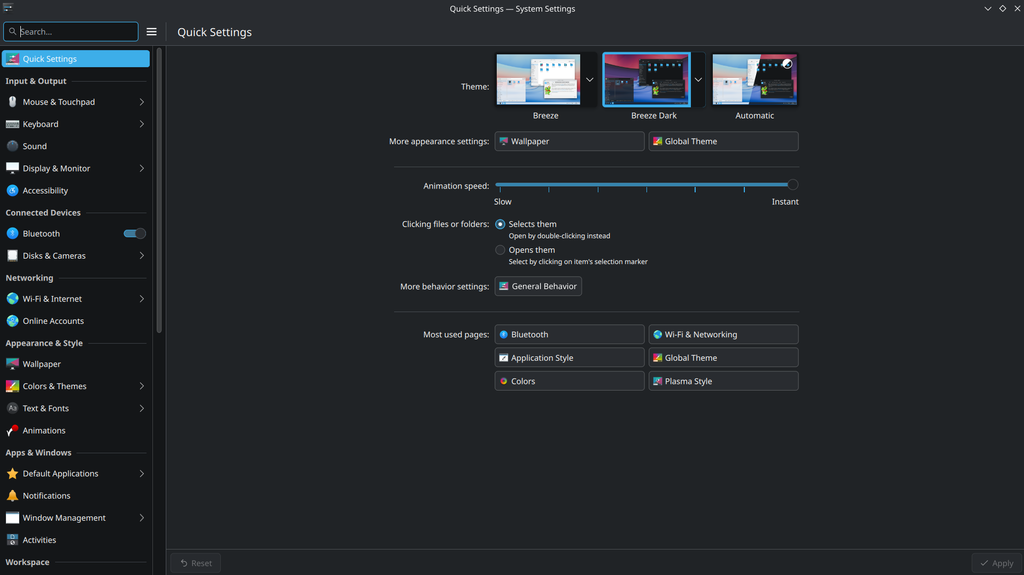
Tracking it down went like this: the process used no CPU during the stall, so it was blocked, not computing. Sampling what the kernel had it waiting on pointed at USB. A dead SuperSpeed lane on a USB switch was retrying its connection every four seconds, forever, and each retry held a lock. System Settings loads a game-controller module at startup, which initialises SDL, which enumerates every USB device, straight into the lock.
The fix was moving one cable to a different port.
On Windows or macOS I’d never have found that. I’d have shrugged, called the settings app slow, and moved on. There’d have been no way in.
That’s the whole argument. Linux doesn’t have fewer problems; it plainly has more. But the problems are legible. Every layer is inspectable, every symptom traceable, every fix something you understand afterwards. I ended that session knowing something true about my machine.
If that sounds like a chore, this distro isn’t for you. If it sounds like the good part, you already know which side you’re on.
What keeps me here
- Fast — 63% of packages built for my exact CPU generation
- Gaming works — Proton, gamescope, Lutris, preconfigured
- Native AI — ROCm and Ollama without a VM in the path
- Private — no telemetry, no ads, no upsell on login
- Reversible — btrfs snapshots make bad updates survivable
- Batteries included — modules ship in-tree and signed, not via DKMS
- Legible — every problem has a findable cause
What it costs
- Things break — audio vanished after a routine update
- Bluetooth is dead — MediaTek firmware never licensed
- Five package managers — and no guidance on which to use
- Flatpak lag — sandboxing breaks tools that expect real paths
- One layer off the path — multi-arch repos break tools written for Arch
- Security is opt-in — open doors stay open silently
- Steep curve — the manual is not optional
A bicycle with training wheels, or a JDM build
Linux Mint is a bicycle with training wheels, and I mean that as praise. It’s the right recommendation for most people moving off Windows: stable, forgiving, and it doesn’t demand that you understand it. If someone asks me what to install on a parent’s laptop, I say Mint without hesitating.
CachyOS is a JDM build. Tuned to the specific engine in the bay, literally so in the case of those Zen 4 repositories. Faster in a way you can feel. Deeply configurable. And it will absolutely leave you at the roadside on a Tuesday morning because a component got swapped underneath you while it was running.

You don’t buy a tuned car because it’s reliable. You buy it because it responds, because you can open it up, and because the parts you replace are yours.
After eight months, two machines and 9,955 package upgrades, it’s my favourite operating system. The failures are part of it. They’re legible, and that’s the point. It’s the first OS I’ve run that gets out of my way and lets me work.
Measurements taken on gilgalad, 30 August 2026 — CachyOS, kernel 7.2.2-1-cachyos, KDE Plasma 6.7.4 on Wayland. Package counts from the local pacman database. Timings measured on the machine, not quoted from benchmarks. feanor’s build and its Secure Boot setup are covered separately in The ¥45,800 Offsite Backup.